Back to School SVG & PNG Alphabet Bundle: Your All-in-One Digital Lettering Toolkit
What Is a Back to School SVG PNG Alphabet Bundle?
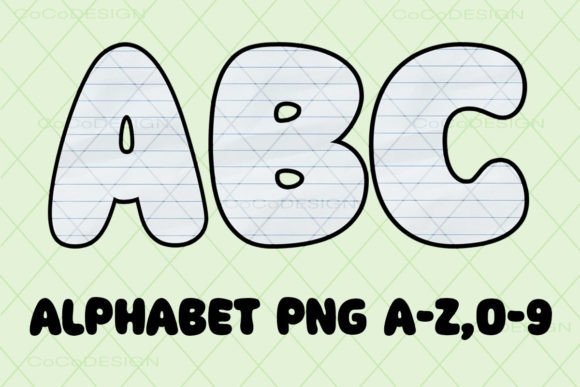
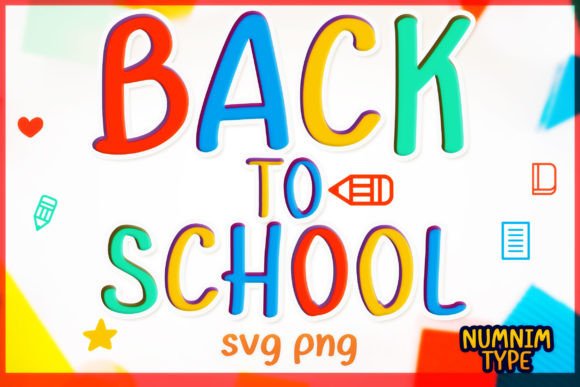
A Back to School SVG PNG Alphabet Bundle is a curated digital collection of high-quality, ready-to-use letter and number files designed specifically for educators, crafters, parents, and small business owners preparing for the new academic year. This bundle includes every uppercase letter A–Z and digit 0–9 — each delivered in two distinct, school-themed styles for letters and one clean, versatile style for numbers. All files are provided in both SVG (Scalable Vector Graphics) and PNG (Portable Network Graphics) formats, with transparent backgrounds and crisp, high-resolution output.
Why These Files Matter for Educators and Creatives
In today’s classroom and home-learning environments, visual engagement is essential. From personalized name tags and bulletin board displays to custom lesson handouts and student reward certificates, consistent, professional-looking lettering sets the tone for learning. Unlike generic fonts or low-res clip art, this bundle delivers separated, individual files — meaning you get A.svg, B.svg, 1.png, 2.png, and so on — not one monolithic file. That makes it incredibly easy to mix, match, layer, resize, and customize without design software expertise.
Two Thoughtfully Designed Letter Styles
The bundle features two complementary alphabet styles — ideal for creating visual hierarchy and thematic variety:
- Style 1: A friendly, rounded sans-serif look — perfect for younger learners, welcome signs, and classroom labels.
- Style 2: A slightly bolder, modern serif-inspired option — great for headings, certificates, and older-student materials.
Each style maintains consistent stroke weight, spacing, and proportions — ensuring your projects look polished and intentional, whether printed at 1 inch or scaled up to 24 inches.
Understanding File Types: SVG vs. PNG — And Why You Need Both
Knowing which file type to use — and when — is key to getting the most from your purchase. Here's a clear breakdown:
SVG Files: For Precision Cutting & Full Editability
SVG files are vector-based, meaning they scale infinitely without losing quality. They’re fully editable in design platforms like:
- Cricut Design Space (Cricut Explore, Maker, and Air series)
- Silhouette Studio (all editions)
- Brother ScanNCut CanvasWorkspace
- Adobe Illustrator, Inkscape, and CorelDRAW
Because each letter is its own object, you can easily change colors, adjust spacing, combine letters into words, or weld elements together — all while preserving clean cut lines. Whether you're making vinyl decals for lockers, iron-on T-shirt letters for spirit week, or paper-cut banners for the library, SVG gives you total control.
PNG Files: For Printing, Presenting, and Quick Reference
PNG files are raster images with transparent backgrounds — ideal for printing, digital presentations, or adding to Canva, Google Slides, or Microsoft Word. While they’re not cuttable (unlike SVG), their high resolution (typically 300 DPI) ensures sharp, clean results on posters, handouts, and invitation cards. Since colors are embedded, what you see is what you get — no risk of unexpected shifts during printing.
Real-World Uses: More Than Just “Back to School”
Though themed for education, this alphabet bundle supports dozens of creative and practical applications across settings:
In the Classroom
- Custom name tags and desk plates (cut from vinyl or printed on cardstock)
- Interactive word wall letters — durable, repositionable, and visually cohesive
- Letter-of-the-week flashcards with matching font styles for consistency
- Student award certificates with bold, celebratory typography
At Home & for Small Businesses
- Personalized back-to-school tote bags or lunchboxes using heat-transfer vinyl
- Scrapbook pages documenting first-day memories
- Mug or tumbler decals celebrating graduation milestones or teacher appreciation
- DIY classroom decor kits sold by teacher-entrepreneurs on Etsy or local markets
Compatibility & Best Practices: What You Should Know
Before downloading and using your files, keep these points in mind:
- Always verify compatibility with your cutting machine or software. While SVG is widely supported, some older Silhouette versions require .studio files — check your device’s documentation.
- Use PNGs only for print or digital display — never attempt to upload them to Cricut Design Space as cut files unless converted first.
- Save original files separately — edit working copies to preserve your master set.
- Test cut one letter first — especially when using new material (e.g., glitter vinyl or thin paper) — to confirm blade depth and pressure settings.
Common Misconceptions — Clarified
Many buyers assume that “digital file” means instant plug-and-play — but understanding limitations prevents frustration:
- ❌ “This works in any app.” → ✅ Truth: While SVG is broadly compatible, some free apps (like basic Canva plans) don’t support SVG upload for editing — though they do accept PNGs.
- ❌ “I can change PNG colors after download.” → ✅ Truth: PNGs are flat images; color changes require photo-editing software (e.g., Photoshop or GIMP) — unlike SVG, which lets you recolor with one click in Design Space.
- ❌ “One file = full alphabet.” → ✅ Truth: This bundle gives you 100% separated files — 26 letters × 2 styles + 10 numbers × 1 style = 62 individual assets — empowering true flexibility.
How This Bundle Fits Into Modern Learning & Making Culture
Today’s educators and makers value efficiency without sacrificing creativity. Pre-made, well-designed assets like this alphabet bundle reduce time spent sourcing or designing from scratch — freeing mental energy for lesson planning, student interaction, or product development. It also supports inclusive design: consistent, readable fonts aid learners with dyslexia or visual processing differences, while scalable SVG ensures accessibility across devices and print sizes.
For small creative businesses, having a branded, school-ready asset library speeds up order fulfillment — whether fulfilling custom backpack embroidery requests or building seasonal digital product bundles for Teachers Pay Teachers.
Getting Started in 3 Simple Steps
- Download your ZIP file immediately after purchase — no waiting, no shipping.
- Unzip and organize folders by format (SVG/letters-style1, PNG/numbers, etc.) — many users create subfolders for “cutting,” “printing,” and “reference.”
- Import into your preferred tool: drag-and-drop SVG into Cricut Design Space, or insert PNG into Canva or PowerPoint for quick classroom visuals.
A Resource That Grows With You
This isn’t just a seasonal download — it’s a foundational toolkit. As your needs evolve (from preschool name practice to high school graduation signage), the clean, timeless design of these letters remains relevant. Plus, because files are separated and labeled clearly (A.svg, B.svg, 0.png, etc.), you’ll spend less time hunting and more time creating — whether you're prepping for Day One or launching your next craft-based side hustle.
Whether you're an experienced maker or opening your first Cricut box, this Back to School SVG PNG Alphabet Bundle bridges simplicity and sophistication — turning everyday letters into meaningful, memorable learning tools.